

SnapDownloader
Perfect Video Downloader for macOS & Windows
Download your all Favorite Videos with SnapDownloader
SnapDownloader CM Security
 Lookout
 McAfee
SnapDownloader is a 100% safe application because its security is verified through not only malware detectors but also viruses. So, feel free to scan every update with the help of these unique platforms, download, and enjoy SnapDownloader with no worries.
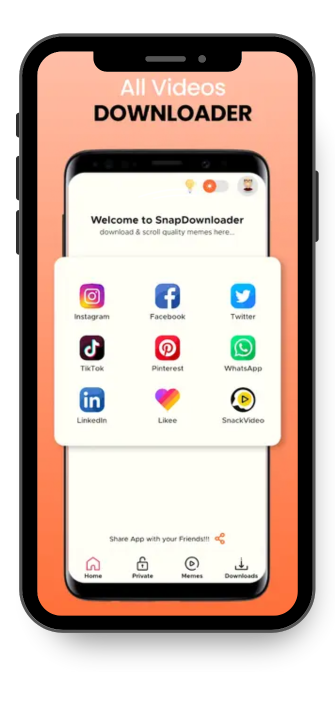
Enjoy the Viewing Experience till 8k Support
With SnapDownloader, all users will be able to download videos in HD, 1080p, 4K, and even 8K. So, enjoy not only watching but also downloading your favorite video content at excellent quality on any concerned device.
Access 900 + Websites to Download Videos from your Desired Platforms
SnapDownloader allows you to access almost 900 + websites and download videos for you through lots of the most popular platforms such as Viemo, Coub, Facebook, Reddit, Twitter, YouTube, Instagram, and many more. Moreover, this downloader indeed comes under an exceptional downloader for not only Windows PC but also macOs.
Covert to more Different Formats through SnapDownloader
After downloading you can convert your desired videos to AAC, WMA, AVI, MP3, MP4, and also more output formats easily. Furthermore, feel free to enjoy watching videos or audio from Android, iPad, iPhone, Smart TV, or other compatible devices.
In-Built Video Cutter/Trimmer in SnapDownloader
Surely, SnapDownlaoder also works as an in-built video trimmer by allowing its users to trim almost any part of any online video or download only a certain section of audio or video. , its intuitive video cutter interface, cutting online video has been quite easy and smooth without any issues.
Features


Supported to 900 + Websites
This stunning feature can make you mainly because it supports the most popular video-based platforms like Reddit, Twitter, Vimeo, Facebook, YT, and other 900 websites.
Download in High Speed
Feel free to download videos at a swift speed by using Snap video downloader and converter without facing any limitation issues.

Downloads Videos in Schedule
While using SnapDownloader, you will have the liberty to download your favorite videos automatically with a proper schedule like at a certain time and date even with limited internet connection bandwidth.


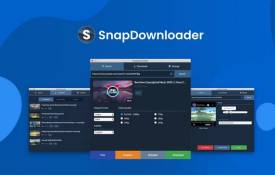

All the Interesting & Incredible Features of SnapDownloader
Download YT Channels and Playlists
Through a couple of clicks on a specific button, users can download their desired YouTube Channels and YT playlists smoothly on their macOs and Windows.
Download Virtual Reality Videos
Here as a user of SnapDownloader, you can not only watch VR videos on any device but also download them from YouTube as well.
Download Support till 8K Resolutions
When it comes to YouTube, you can not only download videos at the best quality but also save them from 720p to 8K resolutions easily.
Convert Videos to MP3
Download the videos from your favorite websites not only in MP4 but also in MP4 format.
Extract your Desired Audio Section
It offers you a great chance to extract music and audio from videos. So, convert your favorite videos into music format but in great quality.
Proxy Setup
Within the app, users can set a proxy easily and bypass almost all geo-restrictions then download videos from those websites which are blocked in your specific region.
100% responsive Customer Support 27/7
Our expert team always remains available for you 24/7 to provide the best and excellent support to all customers. We work hard to address issues, other technical issues. Moreover, daily updates are also conducted.
Download Videos within 3 Easy Steps
- Paste your desired video Link
- Then Choose output Quality & Format
- Download Now
Download Your Videos Now!